Ever been on a website and seen that “login with Google” button staring back at you? You click it, log in through Google and suddenly you’re in the app you signed up for. You have no new password to remember, no lengthy signup form. Very convenient, right?
Well, that’s federated login and I’m here to help you understand why it’s beneficial and possibly implement it. Additionally, people often confuse it with SSO, so I’ll also explain why it’s not the same as SSO.
What is federation?
Think of federation like a gym. You know how some gyms let you use their facilities in different cities with just your home membership card? That’s basically what federation does for your digital identity.
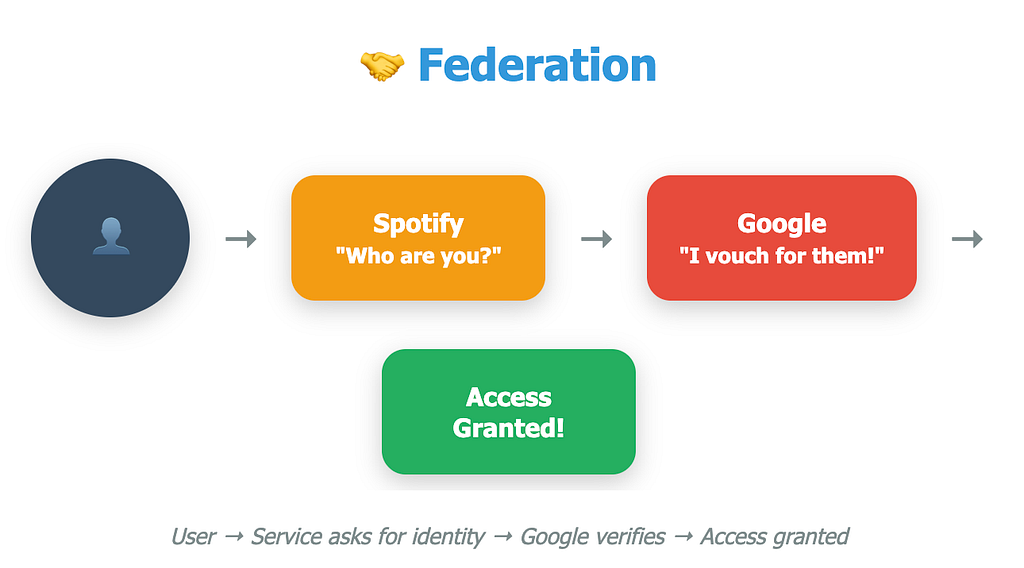
Your company (or Google, Microsoft, etc.) becomes your “home gym” — the Identity Provider (IdP). When you want to access another service (the Service Provider), instead of signing up from scratch with the generic process of that service provider, that service says, “Hey, if your home organization vouches for you, you’re good with us too.”
A more technical description would be a trust relationship between organizations that allows users to authenticate with their home Identity Provider (IdP) and access external Service Provider (SP) resources without creating separate credentials. The IdP issues security tokens (such as SAML and OAuth) that SPs validate to grant access.
The players:
- Identity Provider (IdP): Your digital “home” that knows who you are
- Service Provider (SP): The service you want to use
- Trust relationship: The handshake agreement between them that makes the authentication happen
What is SSO?
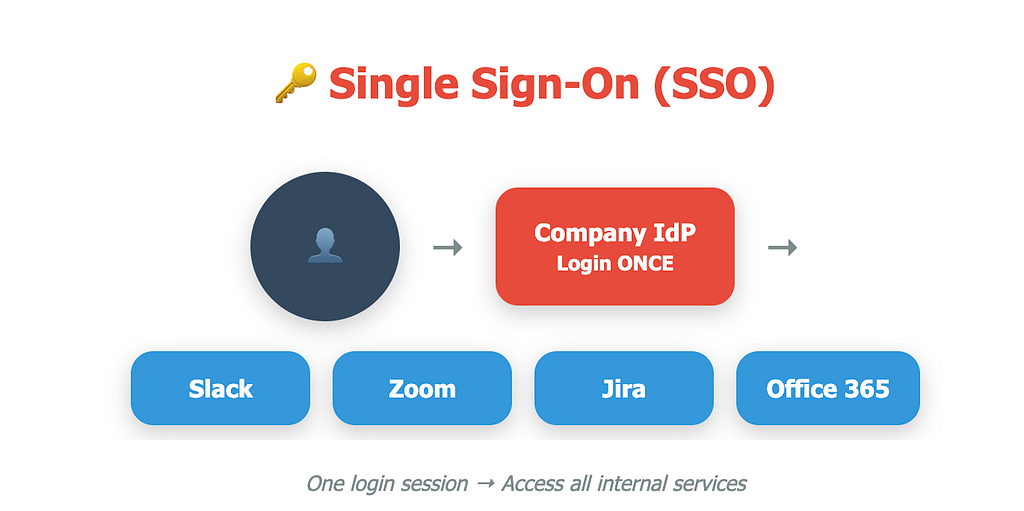
Single Sign-On (SSO) is like having a master key to your apartment building. Once you unlock the front door, you can access the mailroom, gym, rooftop, and laundry room without fumbling for different keys each time.
An authentication mechanism that allows users to access multiple applications within a session using one set of login credentials. Once authenticated, the user can access all authorized systems without re-entering passwords until the session expires.
Log in once, access everything. It’s that simple…of course, your authorisation into these systems also plays a factor in what you access.
So What’s the Difference? (This Always Trips People Up!)
Here’s the thing that confuses everyone:
- Federation answers: “Who’s checking my ID?”
- SSO answers: “How many times do I need to show my ID?”
Real-world example: You use your work login to access Slack, then Zoom, then Jira without entering your password again.
- Federation part: Your company’s system is vouching for your identity across all these apps
- SSO part: You only had to type your password once this morning
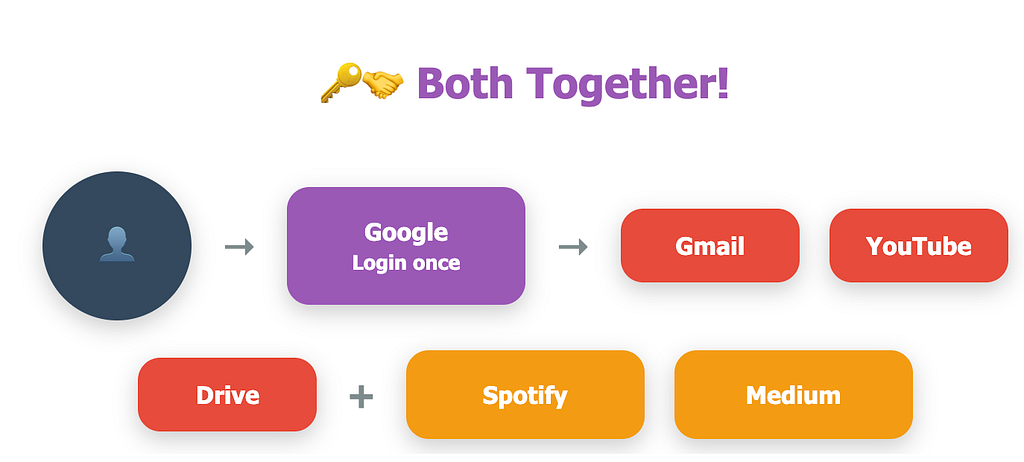
The best part of this process is that the website never sees your actual Google/iDP password.

Hello all👋🏼
I’m Nelson Chukwuemeka-Awuja — an Application Analyst in the fintech SaaS sector and a future cybersecurity professional. I’m passionate about making complex cybersecurity concepts accessible to beginners. My goal with this blog is to answer your burning cyber questions, track my technical journey and share practical knowledge. Feel free to follow the journey and join me as we explore the latest trends, dissect real-world threats and build a stronger understanding of digital defence together.
Connect with me on LinkedIn — Click here!
Remember to clap the post and follow for more updates.
Understanding Federation and SSO was originally published in System Weakness on Medium, where people are continuing the conversation by highlighting and responding to this story.